
UniVerso · Verso’s server
The server is yours.
UniVerso is Verso as a server: one program, installed as a Docker image (amd64 and arm64), as a .deb or .rpm package with systemd, or from an archive. It holds the accounts and the folders — ordinary folders of Markdown on the server’s disk. Nobody signs themselves up: the admin invites. Each folder has an owner, editors and readers.
In three steps
-
Step 1
Connect a folder to a UniVerso
In Settings › Sync, a folder of this computer starts to stay in step with a folder of the UniVerso. A change crosses when saved, and the first sync deletes nothing.
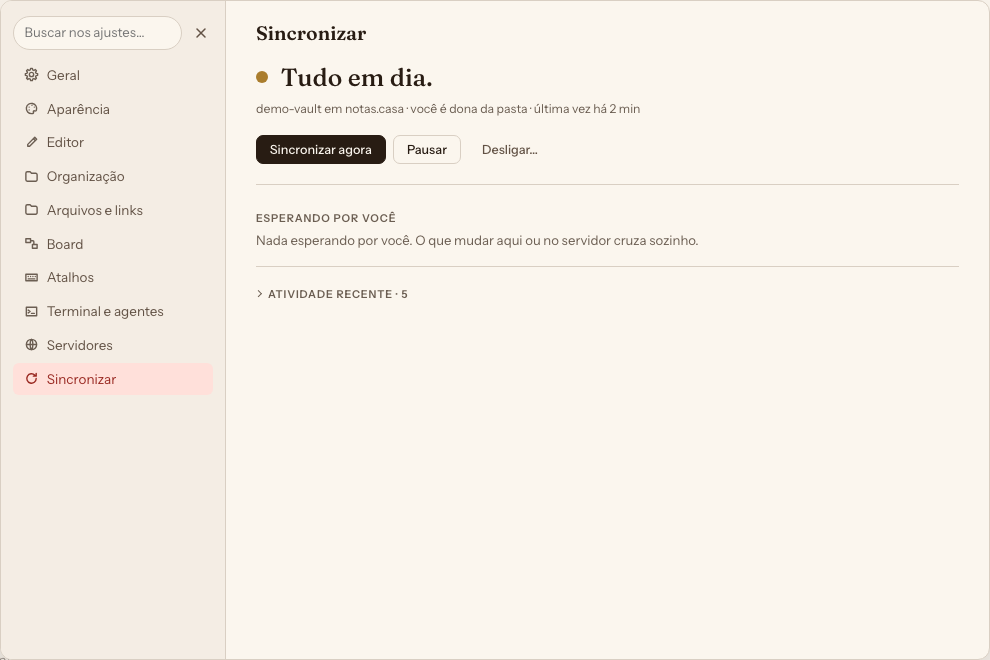
Fig. 1 Settings › Sync when nothing is waiting for you. -
Step 2
Open it in a browser and on a phone
UniVerso serves the app’s own window; on a phone and a tablet it installs on the home screen. Each folder shows your role in it: owner, edits or reads only.
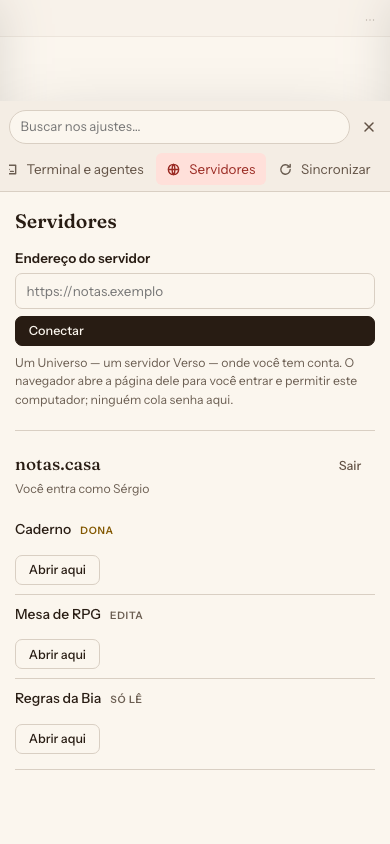
Fig. 2 On a phone: a UniVerso’s folders, with each person’s role — owner, edits, reads only. -
Step 3
Run it from the console
Nobody signs themselves up: the admin invites. At
/adminare the accounts, the folders, the invitations, the quotas and the audit log.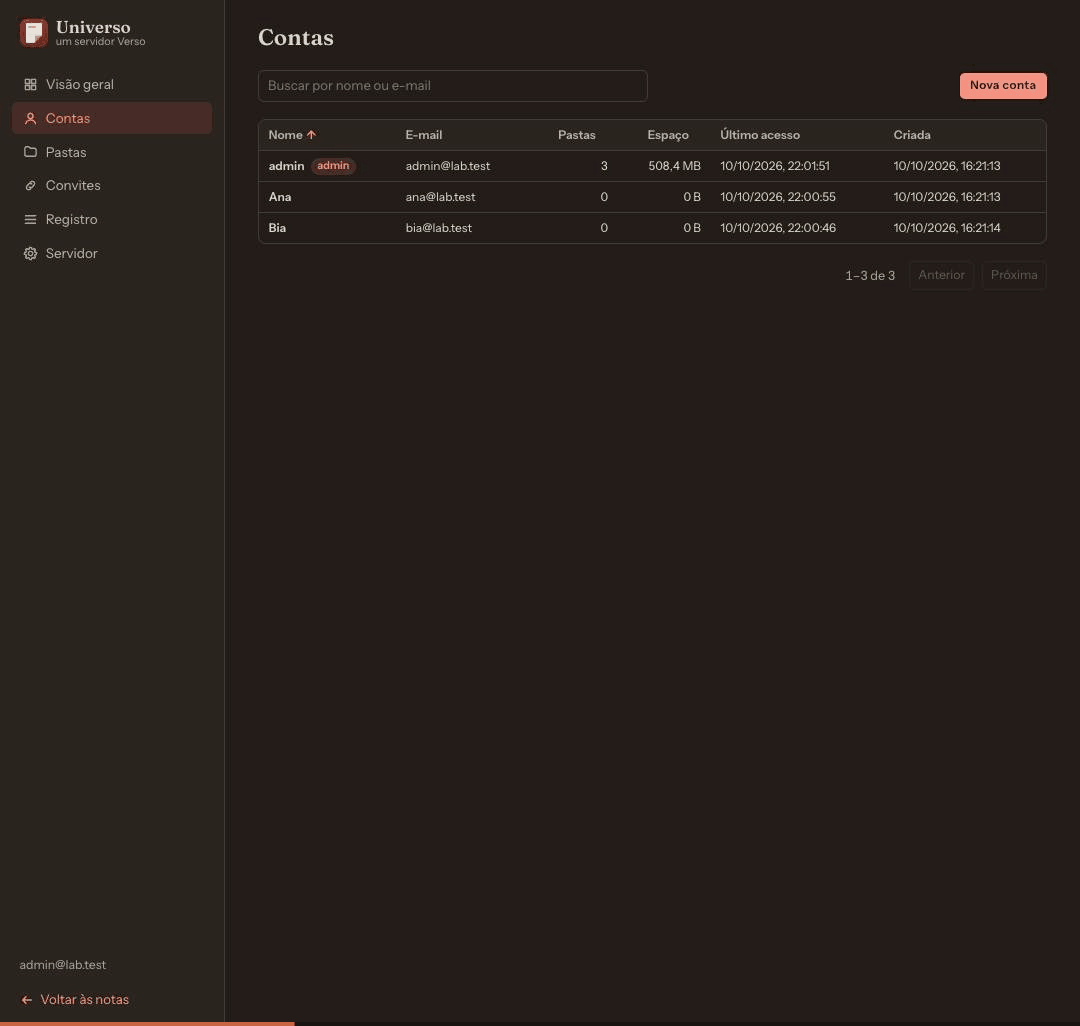
Fig. 3 The admin’s console, on the Accounts page.


What it does
- Sync
- A folder of this computer stays in step with a folder of the UniVerso. A change crosses when saved. A file changed on both sides becomes a copy beside it, never a loss; the first sync deletes nothing.
- Share
- The owner gives another account of the same UniVerso read or write access to a folder, and can take it back.
- Edit together
- While sync is connected, a note two people have open receives the other’s edits letter by letter, with each one’s cursor and name.
- Trash
- What is deleted is kept for 30 days by default, with who deleted it and when, and goes back to its place with “Restore”.
- Console
- The admin sees accounts, folders, invitations, quotas and the audit log at
/admin. - Browser and phone
- UniVerso serves the app’s own window; on a phone and a tablet it installs on the home screen.
A 1 GB VPS is enough
We measured on a virtual machine sized like the smallest VPS: 1 core, 1 GB of memory, a 10 GB virtual disk, Ubuntu with no desktop, and UniVerso installed from the .deb. Four computers — two Macs, one Windows, one Linux — synced a folder of 133 files and 62 MB with it.
- ~18 MB of memory with the program just started
- < 2 % CPU over 20 minutes of the four editing
- 69 s for the first sync of the 62 MB to the four at once
- 50 devices writing at once for 60 s, with no integrity problem
All the numbers
| Situation | Measured |
|---|---|
| The program just started | about 18 MB of memory |
| 20 minutes of the four editing | CPU under 2 %; the five copies byte-equal at every checkpoint |
| First sync of the 62 MB to the four at once | 69 s |
| One device writing alone | about 100 ms per write — the disk’s time |
| 50 devices writing at once for 60 s | 1001 operations; half waited up to 4.5 s in the disk’s queue; no integrity problem |
| After a burst of 50, in the shipped build | about 70 MB held |
| On a machine with 453 MiB of memory | ten devices fetching a 181 MB folder at once: a 44 MB peak; bursts of 50 without the process being killed, at half the throughput |
The minimum we suggest: 1 core and 512 MB, for a family or a small team — measured with up to ten devices, attachments of any size. 1 GB leaves room to spare. The machine was on the local network, not at a provider; a Raspberry Pi and a NAS have not been measured yet.
The throughput figures come from the build used in the tests; the memory after a burst, from the build that ships. The full numbers are in the server’s install guide, which comes out with the code.
One e-mail when there is something to download. Join the waitlist